Pilot Manager
The Gonky Racing desktop app for your Automobilista 2
Install liveries and mods in one click, get told what to set for force feedback on your wheel, write your AI grid and watch your car’s telemetry live. Free, Windows only, and it never writes anything into your game without backing up what was there first.
Free · Windows · updates itself
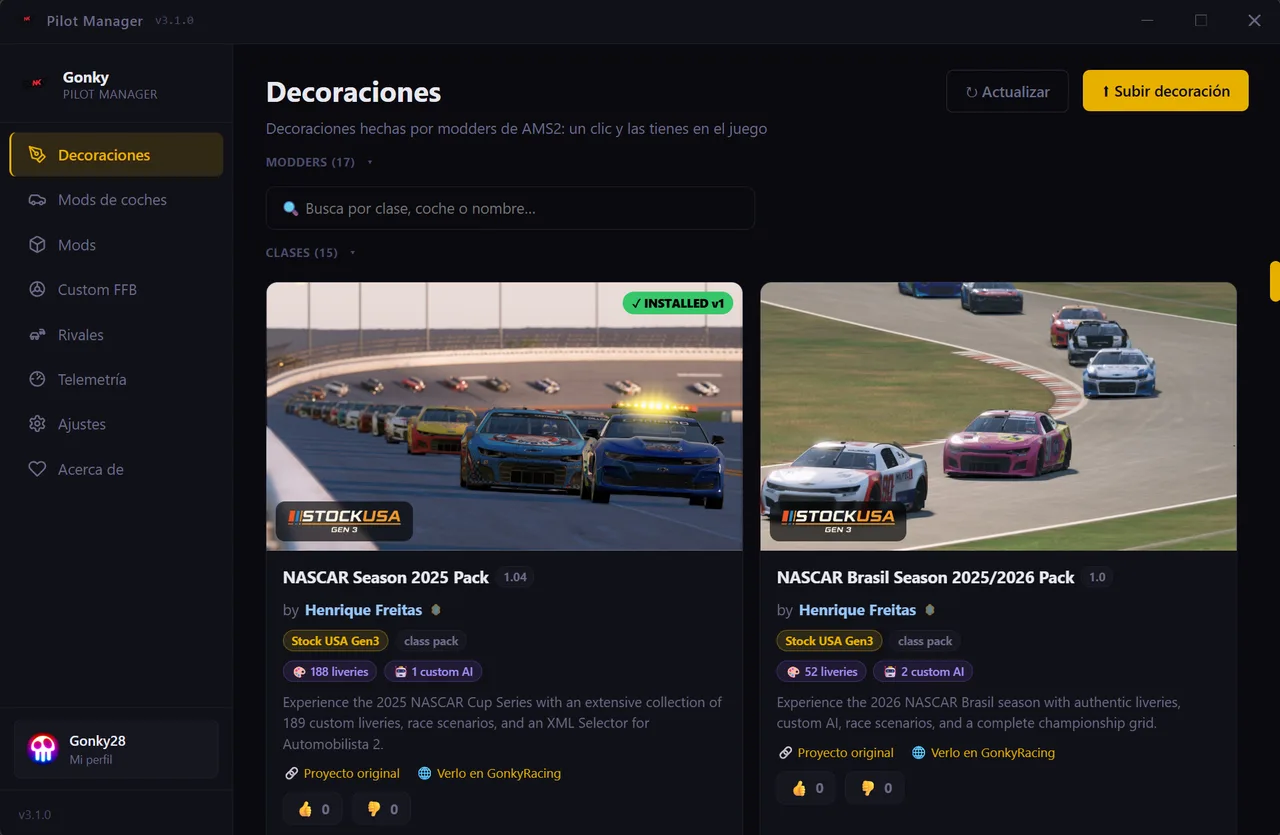
🎨 Liveries: one click and they are in the game
The AMS2 community livery catalogue, with the work of 17 modders across 15 car classes. Find yours, hit install, and the app unpacks it into the game folder. Every card says who made it and links to their original project.
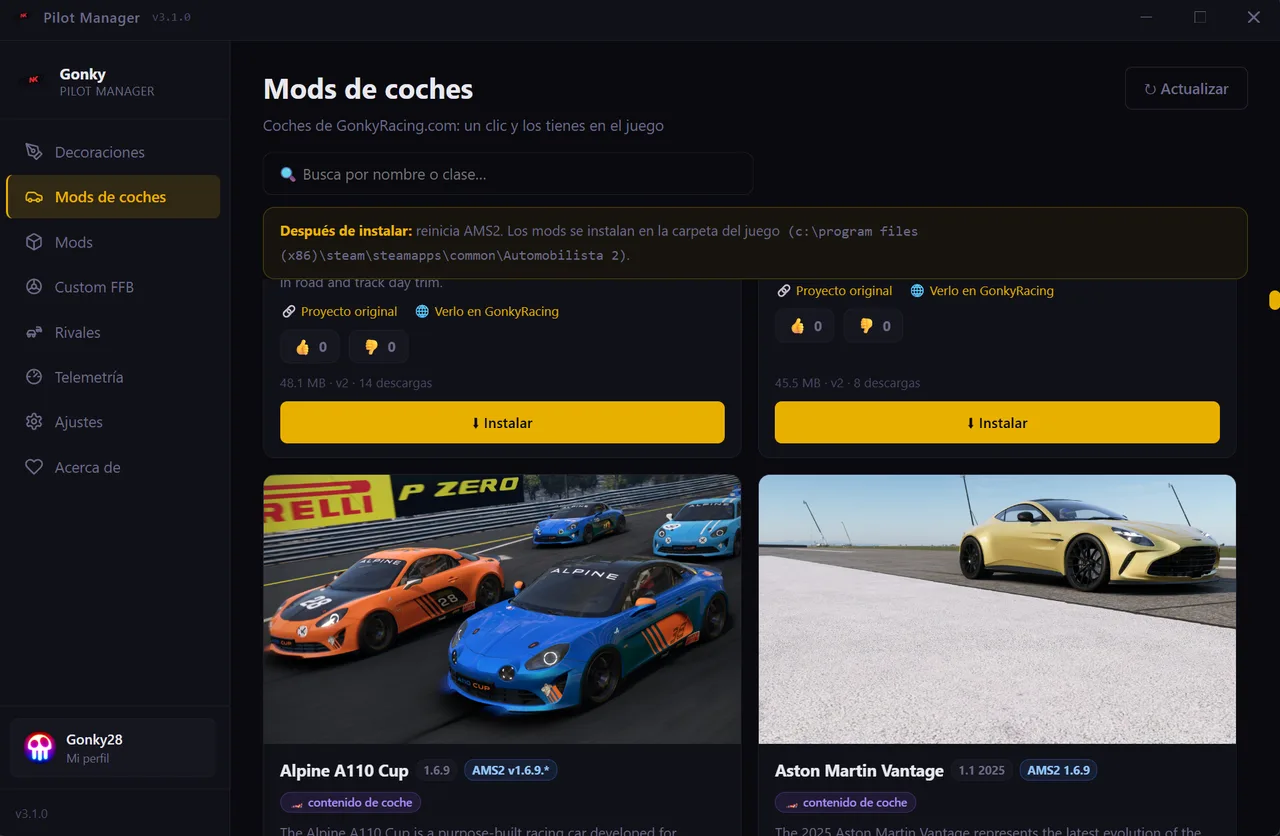
🚗 Car mods: the GonkyRacing catalogue inside the app
Full cars — Alpine A110 Cup, Aston Martin Vantage and the rest — with the AMS2 version they need and their size, installed without leaving the app. Restart the game when it is done and they are there.
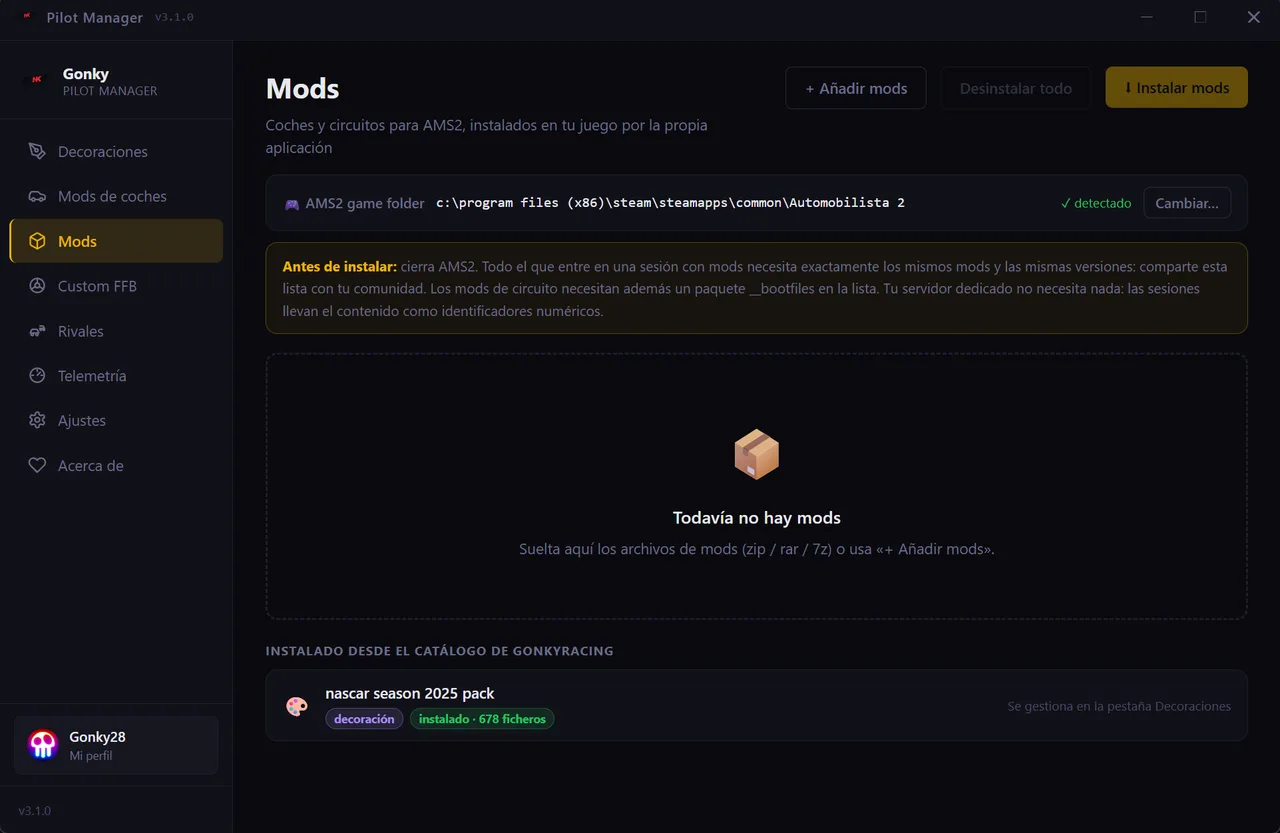
📦 Mods: your own, with no unzipping by hand
Drop a .zip, .rar or .7z on it and the app installs it into the AMS2 folder, which it finds by itself. It keeps track of what it put there, so it can take it out. 🔑 And it reminds you of the thing that actually bites in a modded room: everyone who joins needs exactly the same mods at the same versions — share the list with your community.
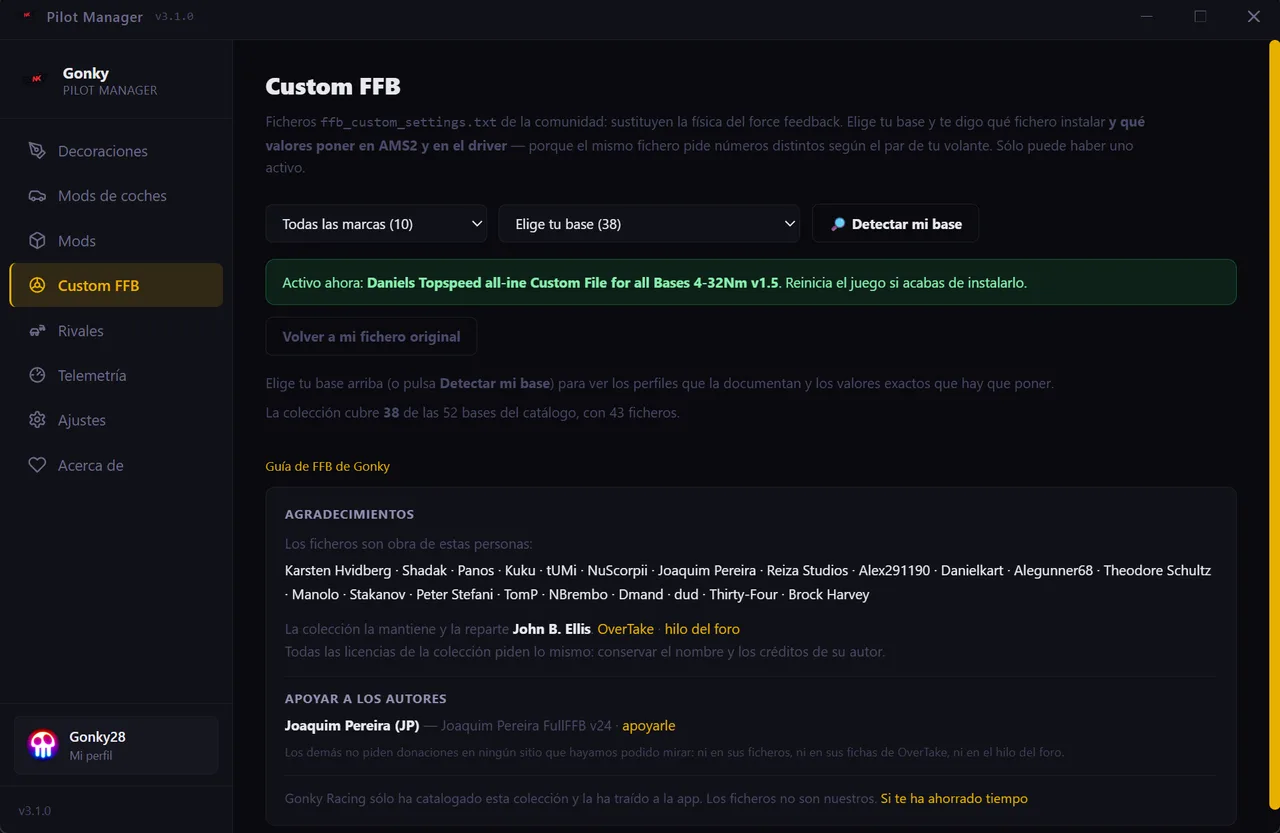
🕹️ Custom FFB: the right file, and the numbers for your base
Community ffb_custom_settings.txt files replace the force feedback physics, but the same file asks for different numbers depending on your wheel’s torque, and that is written down nowhere. Here you pick your base — or hit detect mine — and we tell you which file to install and exactly what to set in AMS2 and in the driver. 43 files covering 38 of the 52 bases in the catalogue, with their authors credited and your original file kept so you can go back.
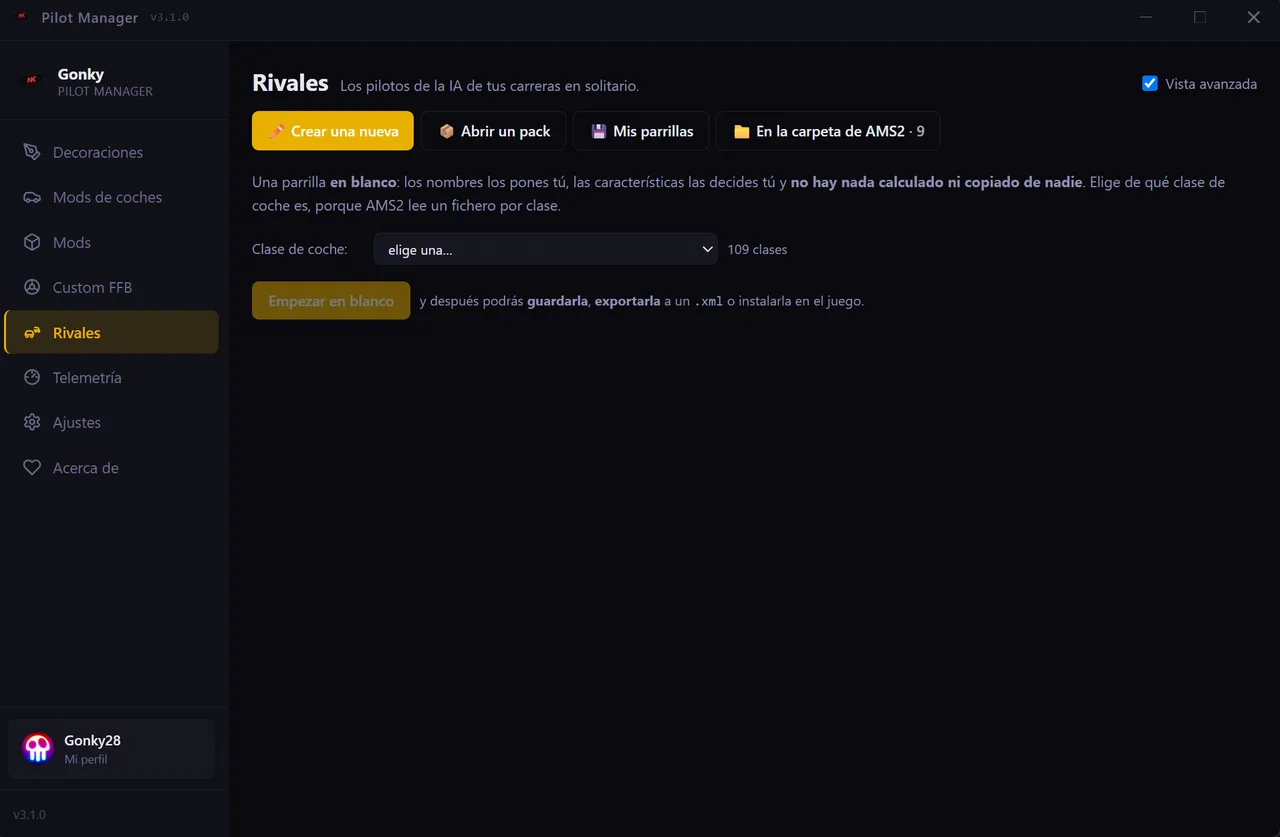
🤖 Rivals: the AI grid for your single-player races
Swap the AI drivers for whoever you like: names, each one’s car, and character — pace, aggression, defending and mistakes. Start from a blank grid on any of the 109 classes, open a community pack to see what is inside before installing it, or merge several into one.
📈 Telemetry: your car’s data, while you drive
It reads your AMS2 60 times a second and draws it: the exact track layout taken from the game itself — racing line, sectors and pit lane — every car’s position, sector times and the session table. Split by when you look at it: Live, Car, Strategy, Analysis, Rival and the Viewer for recorded laps. Cards drag to wherever you want them, and there is a second-monitor output.
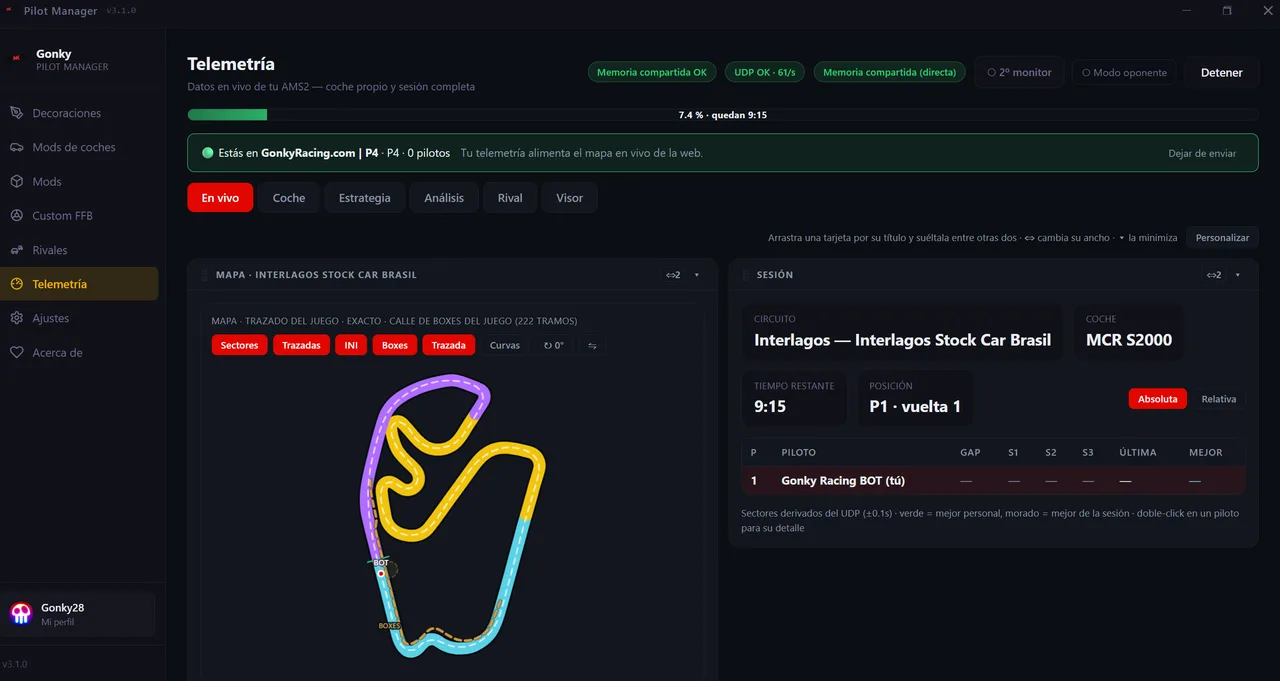
/live. One button turns it off, on that same screen.What do you need to start?
Windows and Automobilista 2. The app finds the game folder on its own. Signing in with your Gonky Racing account is optional: without it you get the catalogue, the mods, the FFB, Rivals and the telemetry; with it, your races and your live map as well.
Free · Windows · updates itself